How to Build a Kanban Using ChatGPT
How building a Kanban with ChatGPT empowers cross-functional teams
Kanban excels when teams have clear policies, lean processes, and rapid feedback. With ChatGPT, you can quickly formalize rules, generate templates, and standardize workflows. This ensures your Kanban board remains aligned, whether it’s used by engineering, marketing, or RevOps, and guards against process drift.
For executives: Expect consistent workflow standards, accessible metrics, and fewer one-off setups per team.
Define your Kanban workflow and WIP limits using ChatGPT prompts
Begin by making every policy explicit. Use ChatGPT to suggest board columns, WIP (Work In Progress) limits, and pull criteria, then refine these based on your actual edge cases.
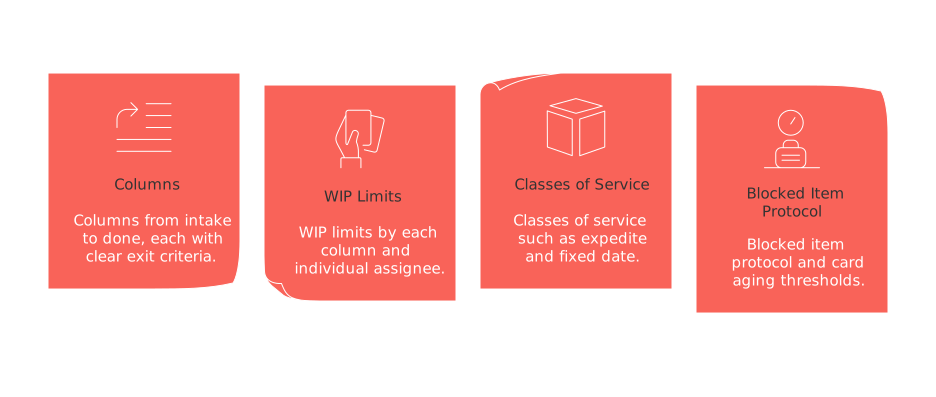
Key components to define
Columns from intake to done, each with clear exit criteria.
WIP limits by each column and individual assignee.
Classes of service such as expedite and fixed date.
Blocked item protocol and card aging thresholds.
Prompt example:
Act as a Lean flow coach. Propose a Kanban workflow for a B2B SaaS team.Constraints:- Columns: Intake, Qualified, In Progress, Review, Ready for Release, Done- Describe entry/exit criteria per column in 1-2 sentences.- Set initial WIP limits: Intake ∞, Qualified 12, In Progress 8, Review 6, Ready 10.- Define 3 classes of service with policies.- Include a blocked item policy and aging threshold in days.Output as a concise policy doc with bullets.
Policy tip: “If any column exceeds its WIP limit, do not start new work. Prioritize resolving blocked items first.”
Create an import-ready Kanban board in CSV, JSON, or YAML
Many Kanban tools offer simple import features. Request ChatGPT to format your data to match the schema you need, then directly upload it into your chosen platform.
Sample CSV for Kanban import
id,title,description,assignee,priority,column,wip_class,due_date,tagsK-1,Enable SSO for enterprise,OIDC with Just-in-Time provisioning,Alex,High,In Progress,Standard,2026-02-10,security;enterpriseK-2,Quarterly usage report pipeline,Build dbt model and dashboard,Mina,Medium,Qualified,Fixed Date,2026-03-31,analytics;financeK-3,Resolve API latency spike,Investigate p99 on /search,Sam,High,Review,Expedite,,reliability;incident
Prompt example:
Generate 15 Kanban cards for a SaaS product team in CSV.Columns: Intake, Qualified, In Progress, Review, Ready for Release, Done.Include realistic titles, crisp descriptions, assignees, due_date (YYYY-MM-DD), priority (High/Medium/Low), and tags. Add 3 expedite items and 2 fixed-date items.
Establish card templates for engineering, marketing, and sales teams
Templates enforce consistency. Use checklists and structured fields to make cards uniform and data-ready for analytics.
Engineering story template
Definition of done:
tests passed, documentation included, rollout notes completed, monitoring set.
Acceptance criteria:
concise, verifiable statements.
Risk:
Mark as low, medium, or high and include a rationale.
Prompt example:
Create a reusable engineering story template for Kanban cards.Include: fields, acceptance criteria checklist, and risk assessment rubric.Output as Markdown with headings and checkboxes.
Marketing campaign template
Goal metric, target value, and timeframe.
Audience details, messaging, and chosen channel.
Approval steps including legal review.
Prompt example:
Draft a marketing campaign Kanban card template.Fields: goal metric, segments, value prop, channels, assets, approvals, risks.Add a pre-launch checklist and a post-launch validation list.
Sales opportunity template
Account and contacts, sales stage, ARR, expected close date, upcoming action.
Mutual action plan with noted blockers.
Status of procurement and legal review.
Prompt example:
Design a sales opportunity Kanban card template aligned to B2B SaaS.Include: fields, stage exit criteria, and a mutual action plan checklist.Return JSON with camelCase keys.
Integrate Kanban with CRM and knowledge bases via automation-ready schemas
Sync Kanban cards to CRM records to maintain a unified source of truth for accounts, contacts, and deals. Always use IDs rather than names to simplify mapping and updates.
Essential fields to include: externalId, accountId, contactId, dealId, docUrl, sourceSystem.
Prompt example:
Create a data contract for syncing a Kanban card with a CRM.Fields: externalId (UUID), accountId, dealId, stage, nextStep, ownerId, amount, currency, cardUrl, lastSyncedAt.Provide JSON schema and 3 sample records.
For teams requiring enhanced visualization, explore advanced project tracking tools like Gantt charts to combine timeline views with Kanban flow.
Monitor flow, metrics, and continuous improvement with ChatGPT
Leverage ChatGPT to analyze board exports or data snapshots, summarizing workflow health and identifying improvement opportunities.
Track cycle time by class of service.
Measure weekly throughput and WIP aging.
Monitor number of blocked items and their resolution time.
Prompt example:
You are a flow analyst. Given this CSV export of Kanban history,- Report median cycle time, 85th percentile, and throughput last 4 weeks.- Flag columns with WIP aging > 2x median.- Propose 3 policy changes and 2 experiments.Return a brief summary for executives.
Pick the right platform for your Kanban and integrate with ChatGPT
Select a tool that centralizes projects, connects CRM context, and includes documentation links. Options include Routine, Jira, Asana, Trello, ClickUp, or Notion. Compare platform data structures, import workflows, and available APIs.
If your stack covers multiple teams, see the differences between all-in-one workspaces and specialized project tools to minimize duplication and tool fatigue.
Key questions to consider:
Does the platform support CSV/JSON import and preserve IDs?
Are APIs and webhooks available for reliable synchronization?
Can you add custom fields for links to CRM records?
Whichever solution you choose, keep ChatGPT outputs consistently structured for smooth integration.
Enterprise governance, security, and change control in Kanban
Treat your Kanban policies as artifacts, store them with version control and require approvals for updates. Always minimize sensitive information in ChatGPT prompts.
Enforce role-based permissions for both boards and individual fields.
Mask personally identifiable information before sharing with ChatGPT.
Regularly review audit logs and set retention policies.
Prompt example:
Draft a Kanban policy change control procedure for a SOC 2 compliant SaaS.Include roles, approvals, versioning, and rollback steps. Keep it under 300 words.
Common mistakes and practical solutions when using ChatGPT for Kanban
Unclear prompts create ambiguous boards. Clearly define columns, fields, and limits at the outset.
Inconsistent naming disrupts analytics. Standardize tags and priority names before importing data.
Excessive WIP conceals bottlenecks. Stick to WIP limits and swarm any blockers as they arise.
Overly generic policies overlook real needs. Use classes of service to allow for exceptions when needed.

Julien Quintard
Founder & CEO at Routine01/30/2026
